Build an ATS-friendly resume — no sign-up, no watermark
Online resume builders have a business model: you type in your entire work history, then they charge you to download it — after adding your data to their marketing lists. This one is different: it runs on your device, your details are saved only in the app, and the PDF is yours with no watermark.
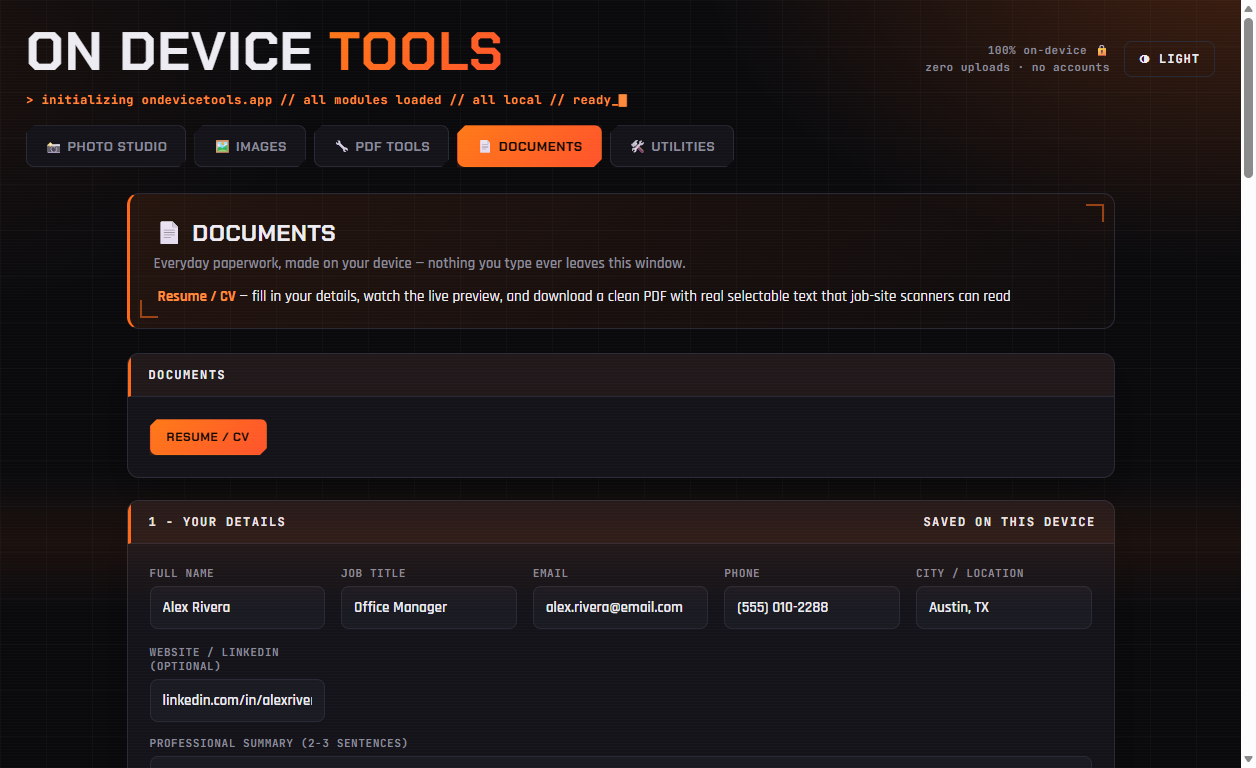
01Fill in your details
Open Documents → Resume / CV. Name, title, contact line, and a 2–3 sentence summary. Everything autosaves to this device as you type — close the app and pick up where you left off.
02Add your jobs — one achievement per line
For each job: title, company, dates, and what you did — one point per line, each becomes a bullet. Lead with numbers where you can ("Cut supply costs 18%"). Reorder jobs with the arrows; same for education.
03Style it
Letter or A4, Modern (sans-serif) or Classic (serif), and an accent colour — the default navy reads as professional everywhere. The preview page updates live as you type.
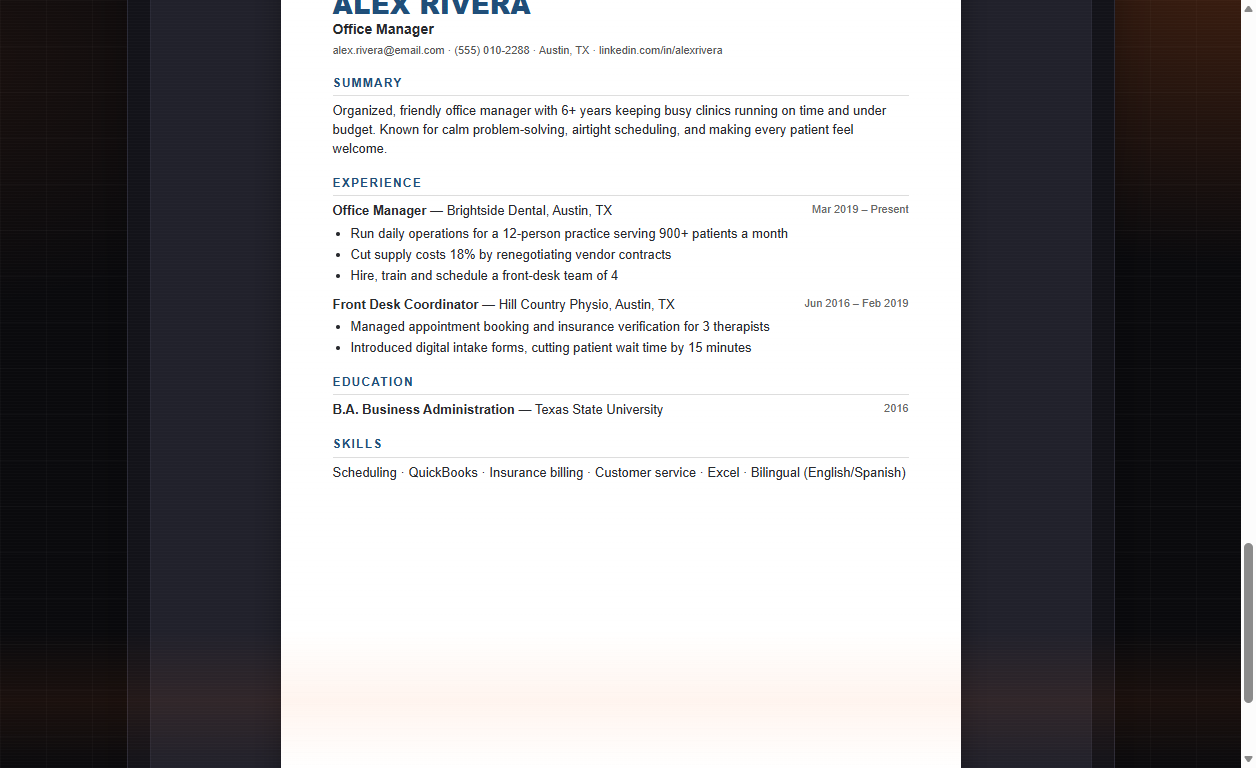
04Download an ATS-safe PDF
Click Download PDF. The export is real selectable text — not a picture of a resume — which is exactly what applicant tracking systems ("ATS", the software that reads resumes before a human does) need to parse your history correctly. Single-column layout, standard fonts: deliberately scanner-friendly.
Resume builder, passport photos, PDF tools, HEIC conversion and more — nothing ever uploaded.
Get On Device Tools →