How to make passport photos at home
Drugstores charge $15+ for two passport photos. With On Device Tools you can make an entire print-ready sheet at home in about five minutes — and because everything runs on your device, your photo is never uploaded anywhere.
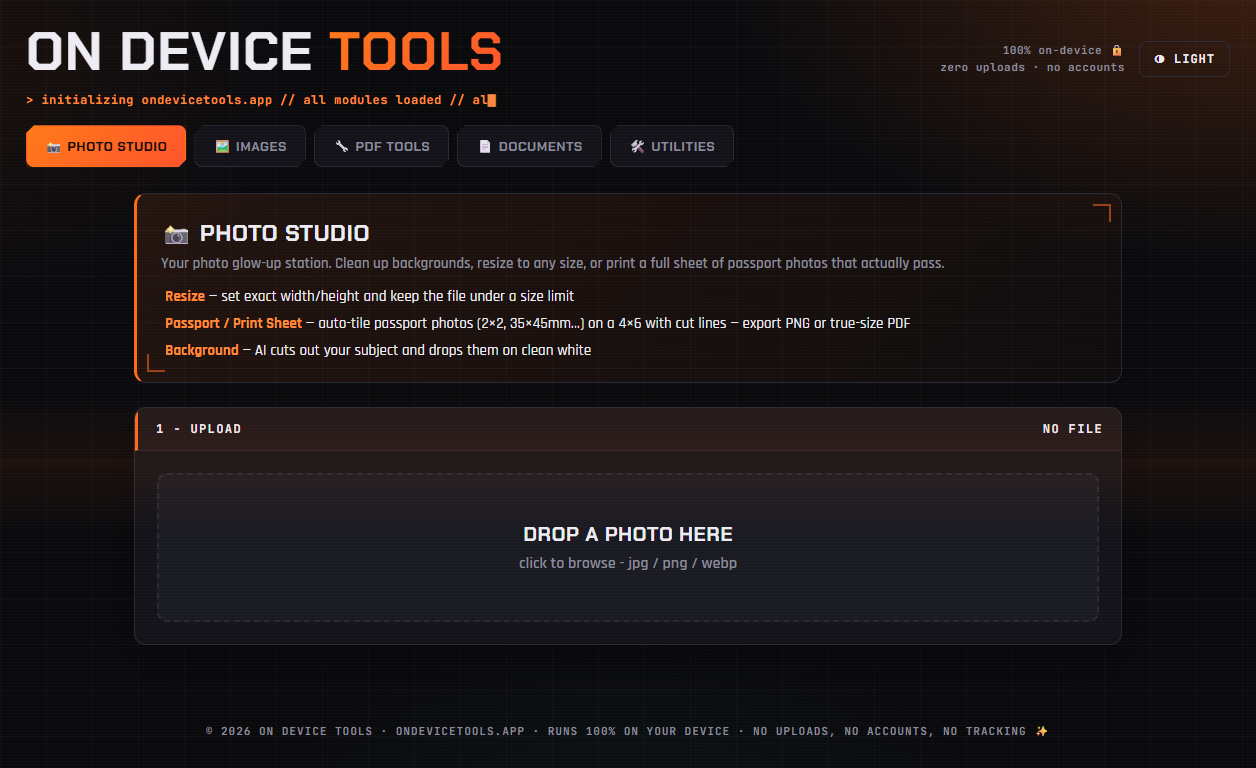
01Upload a portrait photo
Open the Photo Studio tab and drop in any decent portrait — a phone photo against any background works. Face the camera straight on, neutral expression, even lighting, no glasses glare.
02Let the AI put you on clean white
In the Background step, keep Remove subject to white selected and click Prepare image. The built-in AI cuts you out and places you on the plain white background passport offices require, with an edge cleanup pass so no colour fringe remains. (First use downloads the AI model once — after that it works offline.)
03Pick your country's size
Switch the output to Passport / Print Sheet and choose your format: 2×2 in for the US, 35×45 mm for the UK, EU, and India, and more. The tool tiles as many copies as fit on a standard 4×6 photo sheet and adds cut lines.
04Download and print
Export a true-size PDF (or PNG) and print it on a 4×6 at any pharmacy photo kiosk or home printer. Cut along the lines — you now have a full set of passport photos for the price of one 4×6 print.
Passport photos, HEIC conversion, PDF tools, resume builder and more — nothing ever uploaded.
Get On Device Tools →